MPTAAS: Get Your Application Processed Faster Quickly Tips
Are you applying for an MPTAAS scholarship and want your application processed without delay? This guide will walk you through the steps to ensure your application is processed as quickly as possible. Designed to be simple, friendly, and straightforward, this guide will help you navigate the MPTAAS system smoothly.
MPTAAS, or Madhya Pradesh Tribal Affairs Automation System, is an online platform that provides access to government schemes, scholarships, and financial aid for students in Madhya Pradesh. Follow this guide to avoid delays and get your application processed faster.
Get Clear on What You Need
Before you even start the application:
You must be a resident of Madhya Pradesh and fit within the required categories for the scholarship.
- Aadhaar card & mobile number linked with Aadhaar
- Samagra ID
- Caste certificate
- Income certificate
- Latest marksheet
- Fee receipt and admission proof
- Bank passbook for scholarship payments
Tip: Organize your documents and ensure they are in the correct format before starting the application. This will save you time later.
Register First, Apply Later
Follow these easy steps to get started:
Tip: Always use the same name format as on Aadhaar/Samagra so your application processed without errors.
Fill Out the Application Carefully
Once registered, you can log in and fill out the application:
Log in using your User ID and password.
Select Post-Matric Scholarship (PMS) and click “Apply.”
Enter your academic details — including college name, course, and marks.
Upload required documents (Aadhaar, caste certificate, marksheets, etc.)
Review your application carefully before clicking “Submit.”
Tip: Take a few minutes to double-check everything before submitting. Small errors can lead to delays.
Submit Early to Avoid Delays
Don’t wait until the last minute!
Tip: Submit your application 2-3 days before the deadline to avoid last-minute issues.
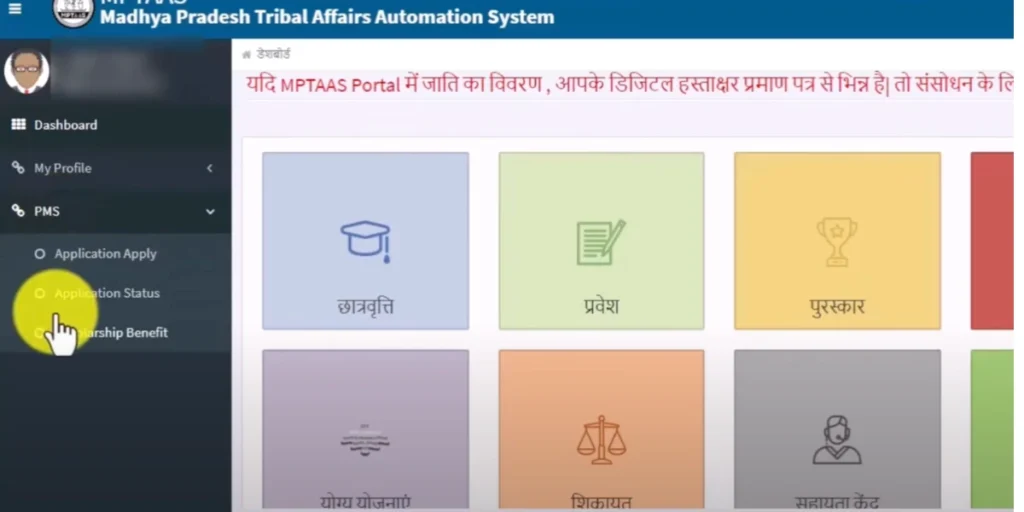
Check Your Application Status
Once submitted, keep track of your application:
Tip: Check your application status every few days to stay updated on any necessary actions, especially if there are emergency fund issues or urgent updates from the department.
Quick Tips to Speed Up Processing
Here are some tips to make sure your application is processed as quickly as possible:
Common Mistakes to Avoid During the MPTAAS Application
While applying for MPTAAS, students sometimes make small mistakes that can lead to delays or rejection. Here’s a list of common errors to avoid:
Incorrect Document Format: Always ensure your documents are uploaded in the correct format, such as PDFs or JPGs.
Incomplete Forms: Missing fields or incorrect information can result in rejection. Double-check that all required fields are filled.
Mismatch in Details: Ensure that the name and other details on your documents match exactly across Aadhaar, Samagra ID, and the MPTAAS portal to avoid discrepancies.
What to Do If Your Application Is Rejected
If your MPTAAS application is rejected, don’t panic! Here’s what you can do:
How MPTAAS Scholarships Help Empower Students in Madhya Pradesh
MPTAAS scholarships aren’t just about financial aid—they play a crucial role in empowering students:
Key Dates to Remember for MPTAAS Applications
Being aware of the important deadlines ensures that you never miss out on opportunities. Here’s what to track:
Application Opening and Closing Dates: Mark these on your calendar to ensure you submit your application on time.
Document Submission Deadlines: Ensure all documents are uploaded before the submission deadline to avoid any delays in the processing.
Result Announcements: Know when to expect scholarship results so you can prepare for the next steps in your educational journey.
FAQs about MPTAAS Application Process
Final Word
By following these simple steps, you’ll increase the chances of your MPTAAS application processed quickly. Always double-check your documents and application details before submitting, and don’t hesitate to check your status regularly.